> ## Documentation Index
> Fetch the complete documentation index at: https://docs.tryearmark.com/llms.txt
> Use this file to discover all available pages before exploring further.
# Past meetings
> Review past meetings and restore deleted ones
## What it does
Earmark keeps a full history of your meetings, organized by date. You can revisit any past meeting to review the transcript, regenerate artifacts, or share outputs after the fact. If you delete a meeting by mistake, you can restore it within 30 days.
## Browsing your meetings
### Recent meetings
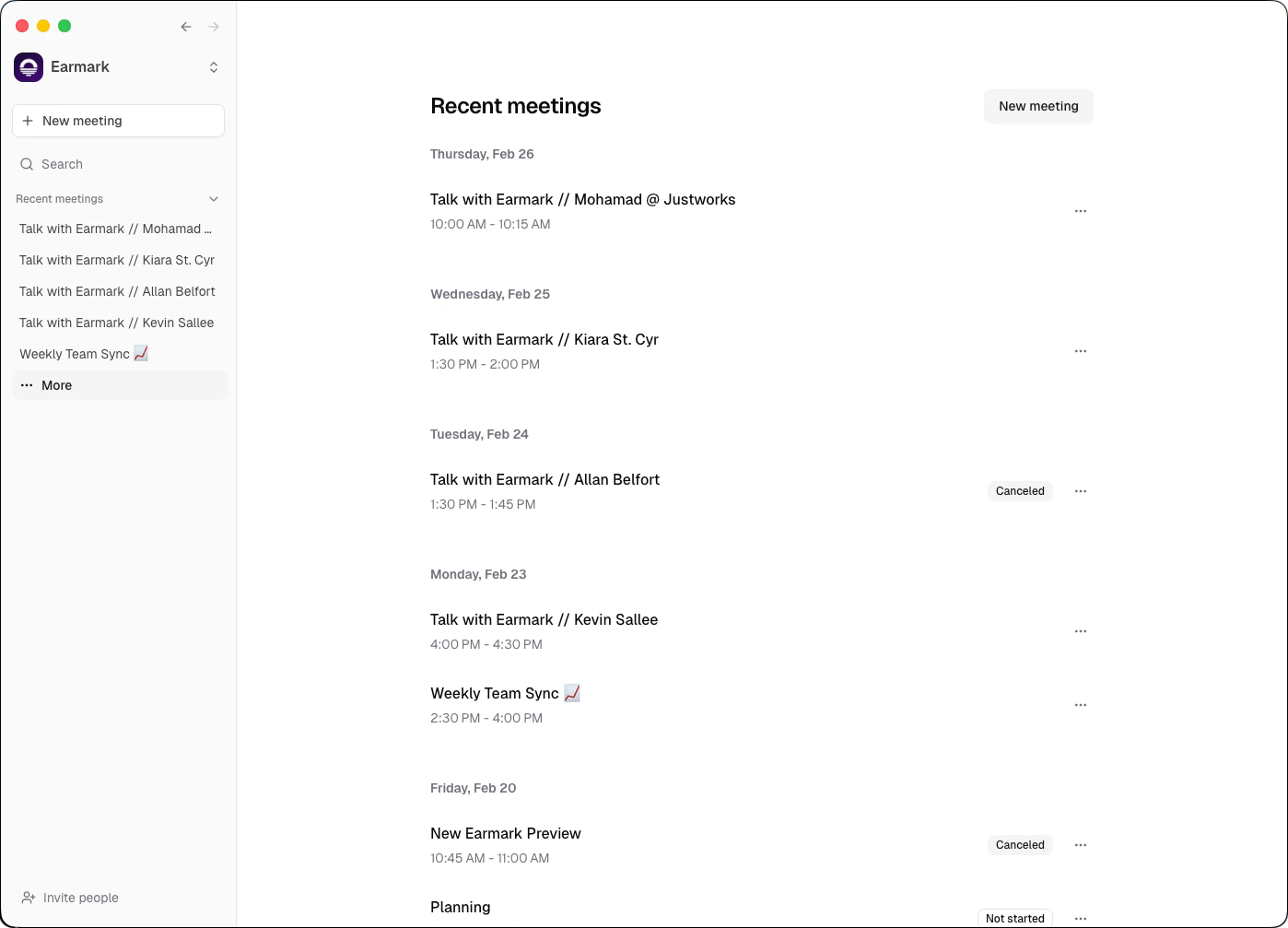
The sidebar shows your most recent meetings for quick access. Click any meeting to open it and review its transcript and artifacts.
### All meetings
Open the **Meetings** page from the sidebar to see your full meeting history, grouped by date. Each entry shows the meeting title (auto-generated from the transcript if you didn't set one manually) and when it was last updated.
## Auto-generated titles
When you stop recording a meeting for the first time, Earmark automatically generates a descriptive title based on the transcript content. This makes it easy to identify meetings at a glance without manual labeling. You can always edit the title later.
## Deleting and restoring meetings
Earmark uses a soft-delete system so you never lose important meeting data by accident.
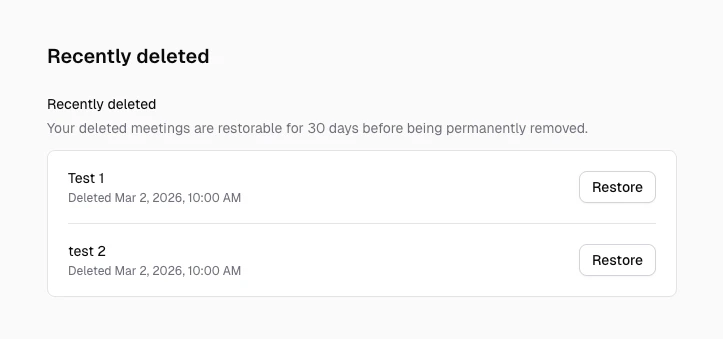
Delete a meeting from the meetings page. The meeting moves to the **Recently deleted** section in settings.
Go to **Settings > Recently deleted** to see all meetings deleted within the last 30 days.
Click **Restore** to bring the meeting back with all its data: transcript, tasks, artifacts, and participants.
If you open a direct link to a meeting that was deleted (or one you no longer have access to), Earmark returns you to the home screen and shows a notice that the meeting is no longer available.
## Automatic cleanup rules
Earmark automatically cleans up some calendar-created placeholder meetings so your history stays relevant.
* If a calendar event is canceled and the meeting never had captured content, Earmark removes it from meeting lists and search.
* If a calendar event reaches its scheduled end and the meeting never had captured content, Earmark removes it.
* If you disconnect a calendar and clear upcoming events, future placeholder meetings with no captured content are removed.
If recording has started or you created tasks/artifacts, Earmark keeps the meeting and updates its status instead of removing it automatically.
## Data retention
| Stage | What happens |
| ---------------------- | -------------------------------------------------------------------------- |
| **Active** | Meeting is visible and accessible in your meeting history |
| **Soft-deleted** | Meeting is hidden but restorable for 30 days |
| **Permanently purged** | After 30 days, the meeting and all associated data are permanently removed |
When a meeting is deleted, all associated data is cascade-deleted with it: transcript chunks, tasks, artifacts, and participant records. Restoring a meeting brings all of this back.
Permanent purge runs automatically once per day. There is no way to recover a meeting after the 30-day retention window.