> ## Documentation Index
> Fetch the complete documentation index at: https://docs.tryearmark.com/llms.txt
> Use this file to discover all available pages before exploring further.
# Temporary meetings
> Run meetings that are intentionally ephemeral
## What it does
Temporary meeting mode lets your team capture and work with a meeting in real time, but with the understanding that the record won't persist long-term. The meeting, its transcript, artifacts, and participant data are all subject to the same 30-day soft-delete retention window, after which everything is permanently removed.
This is not a separate meeting type. It's a mode you can enable per meeting or enforce across your entire workspace.
## Why teams use it
* **Sensitive conversations**: personnel discussions, early-stage strategy, or topics where a permanent record isn't appropriate
* **Brainstorming and exploration**: free-flowing idea sessions where you want real-time capture but don't need a lasting artifact
* **Quick syncs**: short check-ins that don't warrant long-lived meeting history
* **Compliance requirements**: teams that need to limit how long meeting data is retained
## How it works
When temporary mode is active for a meeting:
1. The meeting is created and functions normally: live transcription, artifact generation, templates, and all other features work as expected
2. When the meeting is finished, it enters the soft-delete lifecycle automatically
3. The meeting appears in **Recently deleted** in settings, where it can be restored within 30 days
4. After the 30-day retention window, the meeting and all associated data are permanently purged
Temporary meetings are fully functional during the session. Your team gets the same transcription, artifact generation, and template access as any other meeting. The only difference is the automatic cleanup afterward.
## Workspace enforcement
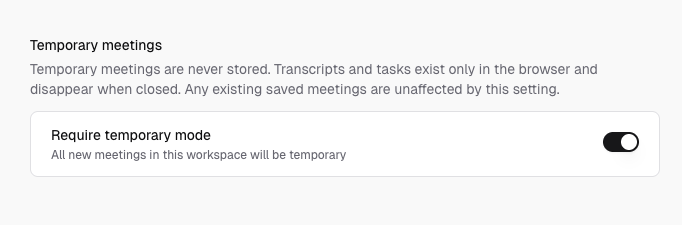
Workspace admins can **enforce temporary mode** for all new meetings created in the workspace. When this policy is active:
* Every new meeting automatically uses temporary mode
* Individual users cannot override the setting
* The setting is configured in **Settings > Workspace > Temporary meetings**
This is useful for teams with data retention policies or a preference for ephemeral meeting records across the board.
Topics that benefit from immediate alignment but should not become part of long-lived team history. Early-stage product explorations, sensitive HR discussions, one-off brainstorms, or any session where the team agrees upfront that the conversation shouldn't persist.
If action items or decisions need to be revisited later, generate and share an artifact before the meeting ends. Once the retention window closes, there is no way to recover the meeting data.
## Data retention lifecycle
| Stage | What happens |
| ---------------------- | --------------------------------------------------------------------------------------------------- |
| **During the meeting** | Fully functional: transcription, artifacts, templates all work normally |
| **After the meeting** | Meeting enters soft-delete; visible in Recently deleted for 30 days |
| **After 30 days** | Meeting and all associated data (transcript, tasks, artifacts, participants) are permanently purged |
When a meeting is deleted, all associated data is cascade-deleted with it. Restoring a meeting within the 30-day window brings everything back: transcript chunks, tasks, artifacts, and participant records.