> ## Documentation Index
> Fetch the complete documentation index at: https://docs.tryearmark.com/llms.txt
> Use this file to discover all available pages before exploring further.
# Import a transcript
> Create an Earmark meeting from a transcript captured somewhere else
## What it does
Transcript import creates a regular Earmark meeting from text you already have. The imported meeting is fully searchable, accepts templates and artifacts, and lives in your meeting history the same way a recorded meeting does. The only difference is that the transcript came from outside Earmark.
## When to use it
* **The conversation was captured somewhere else.** Bring transcripts in from another transcription tool, a video platform, or hand-typed notes so the meeting lives next to the rest of your team's history.
* **The meeting happened in the past.** Date and time accept any timestamp, so a backfilled meeting lands at the moment it actually took place rather than the moment of import.
* **You need to edit a transcript.** Earmark transcripts are intentionally locked once captured. To make corrections, copy the transcript, edit it offline, and reimport the cleaned version as a new meeting.
## How to import
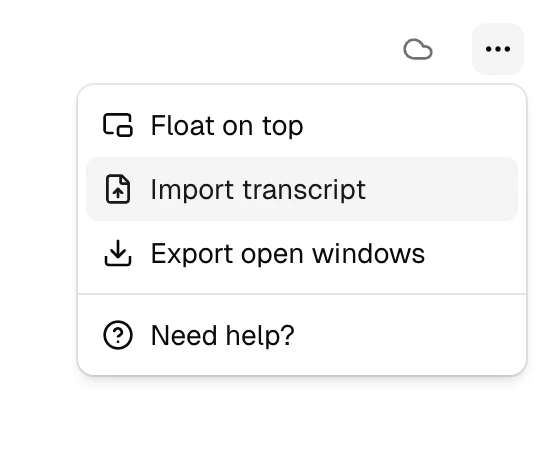
From the main screen or any meeting, open the **...** menu in the header and select **Import transcript**.
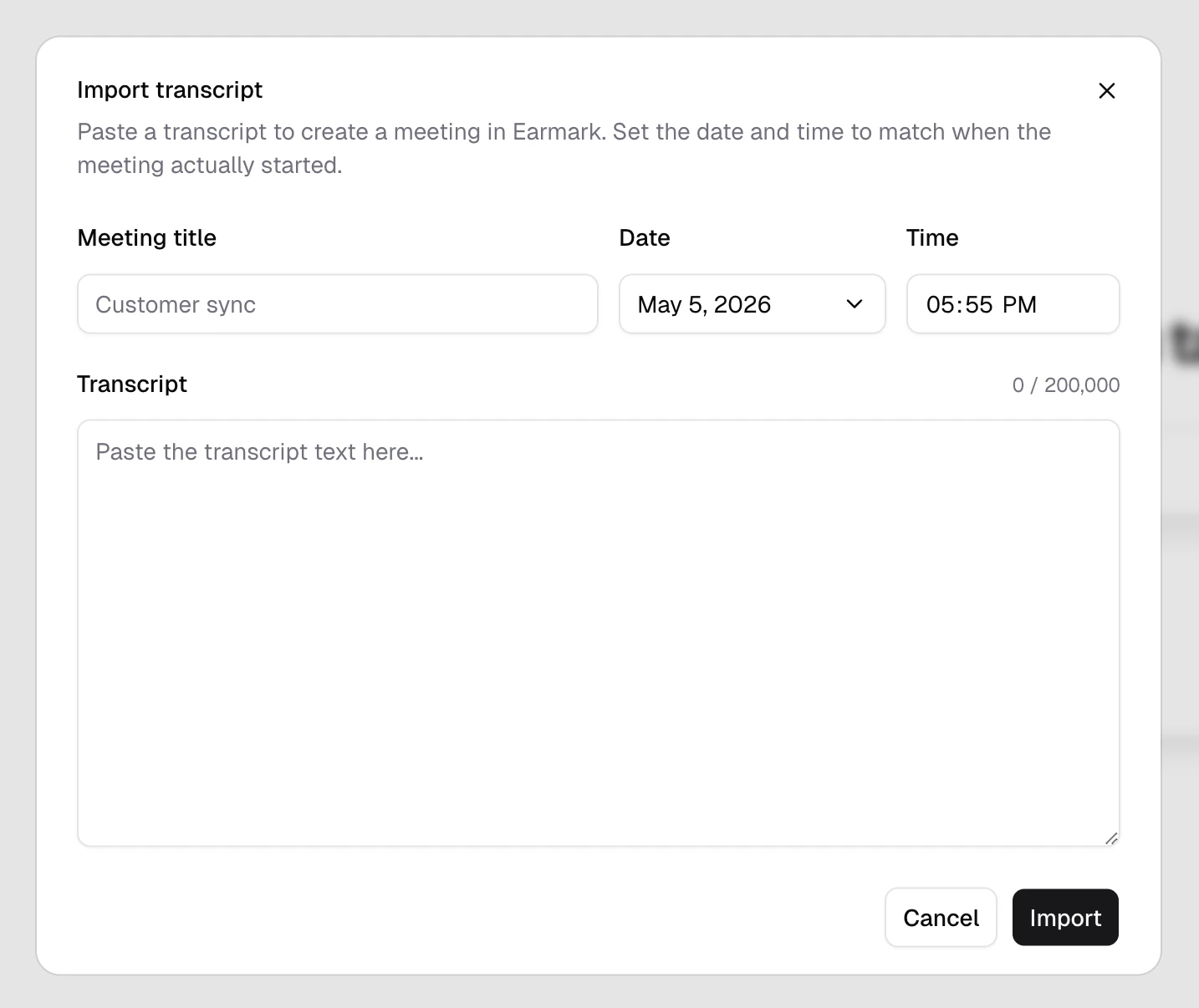
Add a meeting title, then set the date and time the meeting actually started. Both can be in the past.
Paste the transcript text. The imported meeting works with templates and artifacts the same way a recorded meeting does.
Click **Import**. Earmark creates the meeting and opens it. From there you can run templates, generate artifacts, and share output like any other meeting.
## Edit a transcript by reimporting
Earmark locks transcripts so artifacts always trace back to a verifiable source. When you do need to fix something — for example, redacting a section before generating artifacts on top of it — reimport is the supported path.
Open the meeting you want to fix and copy its transcript text.
Paste it into a text editor, make your changes, then copy the cleaned version.
Open the Import transcript dialog and paste the corrected text. Reuse the original meeting's title, date, and time so it lands in the same spot in your history.
Once you've confirmed the imported meeting looks right, delete the original. It stays in **Recently deleted** for 30 days in case you change your mind.
Imported meetings behave identically to recorded ones. They appear in your meeting history at the date you set, are searchable from the [command menu](/earmark-basics/command-menu), and accept artifacts, templates, and tasks like any other meeting.
Migrating a backlog of meetings from another tool, capturing a session that wasn't recorded in Earmark, or correcting a transcript before generating artifacts on top of it. Anywhere the source-of-truth text already exists and you want it to live in Earmark.