> ## Documentation Index
> Fetch the complete documentation index at: https://docs.tryearmark.com/llms.txt
> Use this file to discover all available pages before exploring further.
# Build in v0
> Convert meeting discussions into v0-ready UI prompts and component direction
## From conversation to UI
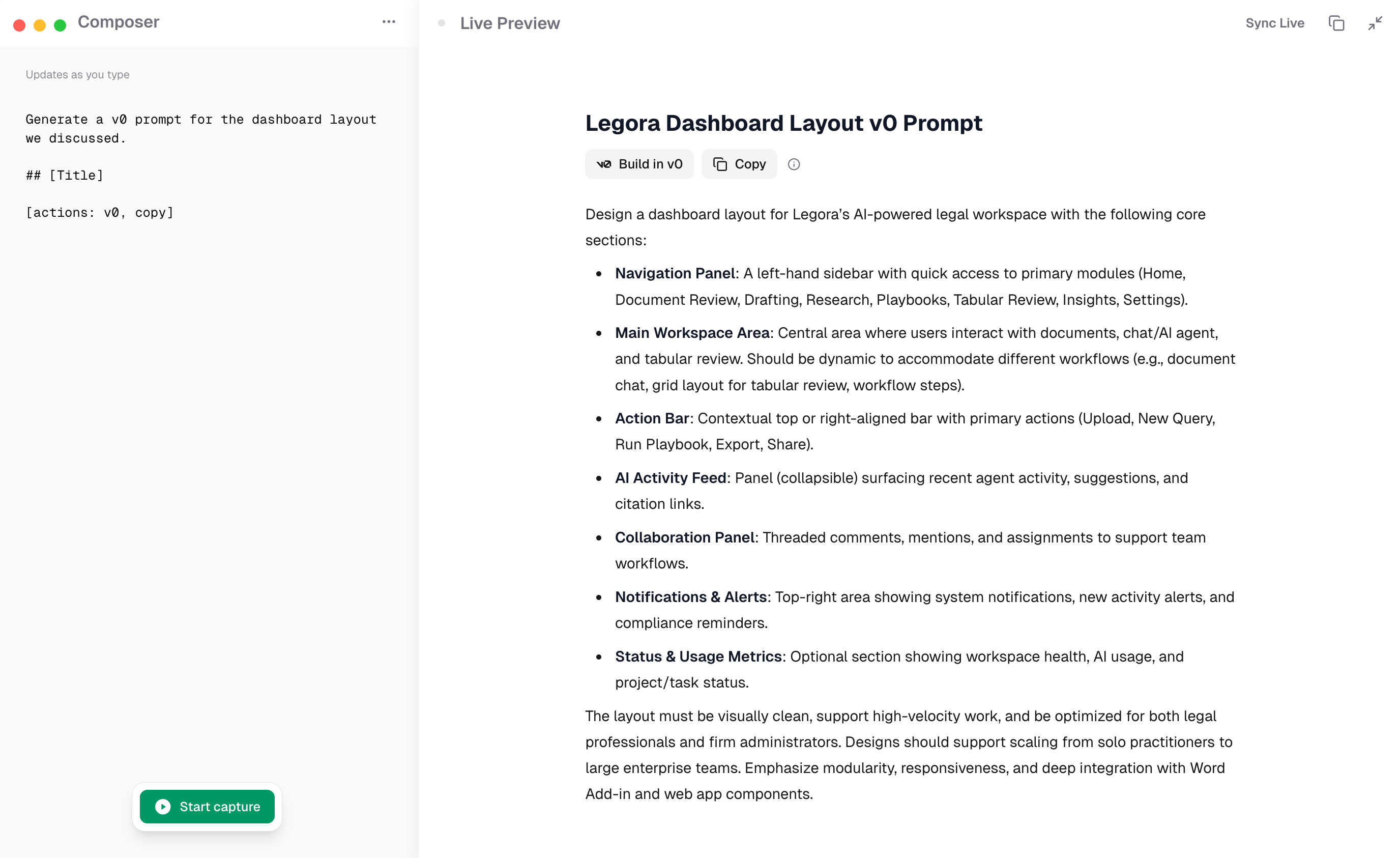
Skip the blank canvas. Earmark converts what you discussed into v0-ready UI prompts, components, and direction. Design discussions become actionable specs instead of vague notes.
## How it works
1. Run a meeting where UI or design decisions are discussed
2. Use a custom prompt like "Generate a v0 prompt for the dashboard layout we discussed, including the data tables and filter sidebar"
3. Earmark produces a structured prompt grounded in what was actually said, with specific component descriptions, layout requirements, and interaction details
4. Paste the output into v0 and iterate from a real starting point
## Best templates for v0 workflows
* **Engineering Specs**: captures requirements including UI specifications
* **Topic Outcome Tracker**: records design decisions and open questions
* **Custom prompts**: "Write a v0 prompt for \[specific UI]" works well with Earmark's full transcript context
Reference specific UI elements during the meeting. "The filter sidebar should have date range, status, and assignee dropdowns" gives Earmark the detail v0 needs to generate useful components.