

What is a workspace
A workspace is the shared home for your team’s meetings, artifacts, and decisions. Everyone in the workspace can see meeting outputs, review artifacts, and stay aligned without chasing down notes from individual contributors.Why workspaces matter
Delivery slows down when summaries live with one person. A workspace keeps decisions accessible to the whole team: product, design, engineering, and leadership all work from the same source.Roles
Each workspace has two roles:Inviting teammates
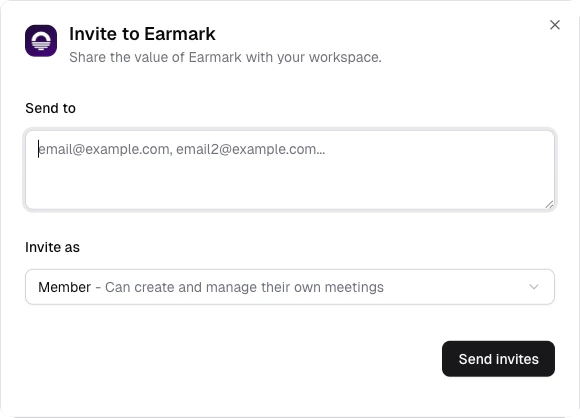
Invite teammates by email and role
1
Open the invite dialog
Click the invite button in the sidebar or go to Settings > Members.
2
Send invitations
Enter email addresses for your teammates. They’ll receive an invite to join the workspace.
3
Manage roles
Admins can change any member’s role between Admin and Member from the members list.
Company vision
Admins can set a company vision in workspace settings: a short description of your mission, values, or current priorities (up to 500 characters). This context is used by AI when generating artifacts, so outputs are aligned with what your team cares about. For example, setting your vision to “Ship reliable developer tools that reduce build times by 50%” helps Earmark prioritize and frame artifact content around that goal.Settings
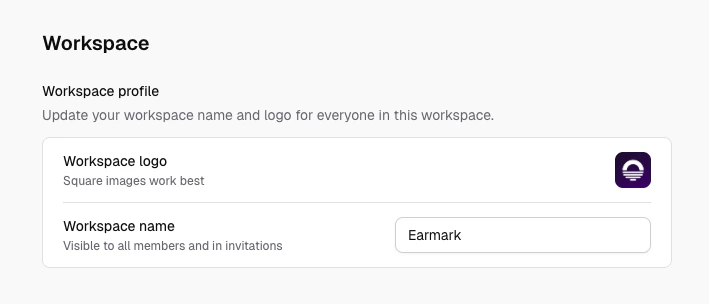
Settings > Workspace name, logo, and policies
- Workspace name and logo: visible to all members
- Company vision: shapes AI artifact generation
- Transcription language: English or Multilingual mode
- Temporary meetings: turn on Require temporary mode to make every new meeting temporary (see Temporary meetings)
- Single sign-on: see whether single sign-on is set up for your workspace, and contact us to set it up
- Billing: review plan status and manage upgrades in Settings > Billing
Billing and plans
Use Settings > Billing to manage your workspace subscription:- View your current plan or trial status, including trial end date when applicable
- Compare Starter and Pro plans with monthly or yearly billing
- Start checkout for Starter or Pro, or contact sales for Enterprise
Practical patterns
- Use one workspace per active team or delivery stream to keep outputs focused
- Invite cross-functional teammates early; don’t silo meeting context
- Set your company vision so artifacts stay relevant to your team’s goals
- Review the members list periodically and remove people who have moved on
Meetings are private to the person who recorded them. Workspace membership shares the workspace itself, its members, and its settings, not each other’s meetings. To share meeting context with teammates, add meetings to a project and share it.