

From conversation to code
Earmark turns the conversation into Cursor-ready specs and code prompts. Instead of manually translating meeting decisions into engineering work, copy the artifact directly into Cursor and start building.How it works
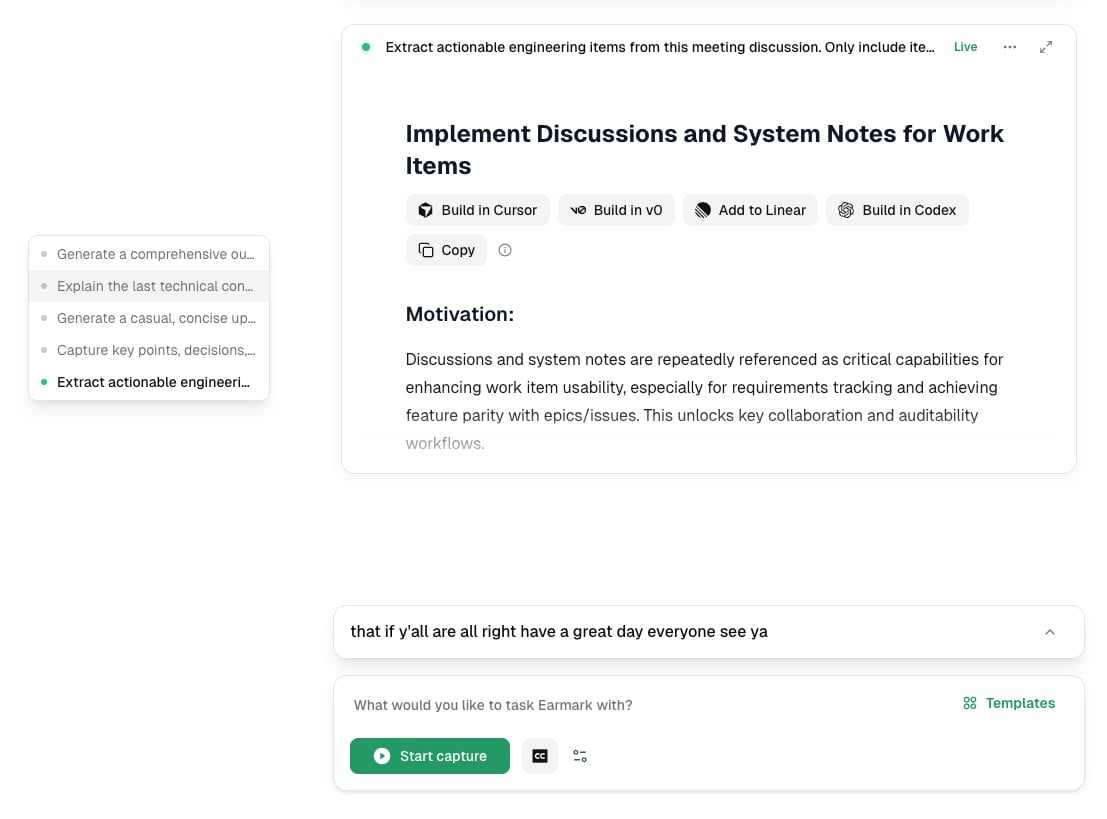
Engineering output formatted for Cursor
- Run a meeting with Earmark recording
- Use the Engineering Specs template or write a custom prompt like “Generate a Cursor-ready spec for the API changes we discussed”
- Earmark produces a structured artifact with requirements, acceptance criteria, and implementation guidance
- Copy the output and drop it into Cursor as your starting prompt
Best templates for Cursor workflows
- Engineering Specs: extracts actionable engineering items with motivation, requirements, and acceptance criteria
- Technical Architecture: captures architecture decisions, trade-offs, and component design
- Ticket Generator: produces structured tickets ready for implementation