

From conversation to Linear issues
Turn what you just decided into Linear issues instantly. Earmark generates titles, descriptions, and acceptance criteria directly from the meeting transcript, so tickets ship before the call ends.How it works
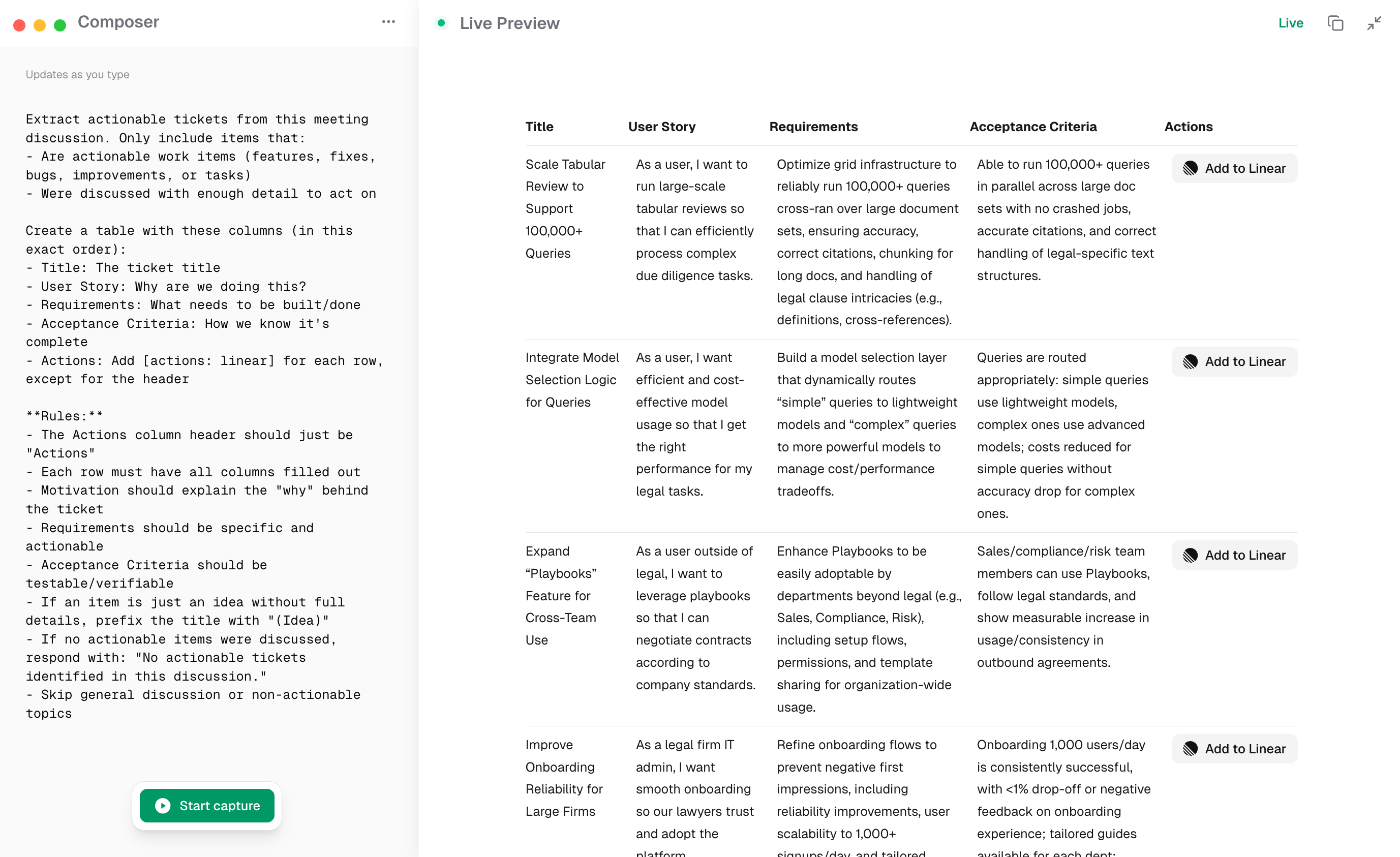
Ticket output ready to add to Linear
- Run a meeting with Earmark recording
- Use the Ticket Generator template or prompt “Generate Linear tickets from this discussion”
- Earmark produces a table of tickets with titles, descriptions, owners, and acceptance criteria
- Copy each ticket into Linear or export the full list
Best templates for Linear workflows
- Ticket Generator: extracts actionable tickets in a structured table
- Sprint Planning Summary: captures scope decisions, priorities, and assigned work
- Topic Outcome Tracker: tracks what was discussed and decided, ready to convert into issues